
Pixel WiFi (ROOT)1.0.21 - Google Play
You'll be able to see results in few seconds.
Publisher Description



Keeping an eye on hackers and intruders who break in your private network.
Pixel Wifi App
About the Pixel Wi-Fi it’s used to figure out the number of devices that are
connected to your WiFi network. Since you are the user of the Pixel Wi-Fi
and your device has been rooted, you are able to re-open the sessions that
one of the devices has opened during surfing internet using your wifi network.
Features
:
* Full device details including
IP address
,
MAC address
,
Device Name
,
Device Manufacturer
,and more.
*Check your Internet Connection.
*Get detailed information about your current
ISP Provider
.
*Get Your
Public IP
Address.
*
Ping
test for your network quality.
*Check your network for intruders.
*Basic information about your device network.
*Watch all devices on your network.
*Custom names of your discovered devices.
*Get manufacturer Details of your discovered device.
How it works ?
* Welcome Screen: In this screen, Pixel Wi-Fi connects to your router to save
the settings. You will see a window asking you to confirm the validity of the
application (Super User) through the option (Grant).
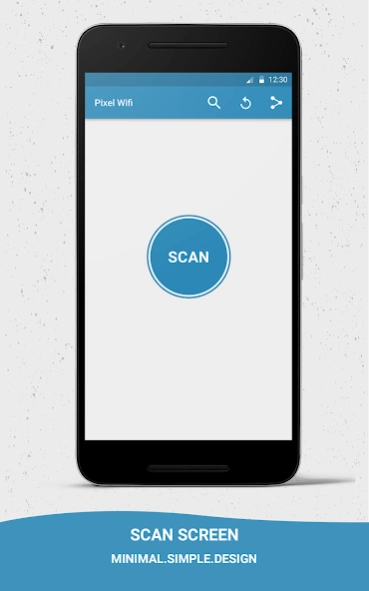
* Search screen: After clicking on (Scan), Pixel Wi-Fi searches for all the
devices connected to your wifi network, and list them in the menu that
contains all their data such as: IP, Mac Address, the type of device (Android,
iPhone, PC, Router).
* You can also rename each device appears in the list, so
you can easily select the device later.
* Pixel Wi-Fi looks for websites that the device has opened and displays in the *
list of sessions and allows its user to browse any of those sites.
* Full device details including IP address, MAC address, Device Name, Device Manufacturer and more.
*Check your Internet Connection.
*Get detailed information about your current ISP Provider.
*Get Your Public IP Address.
*Ping test for your network quality.
*Check your network for intruders.
*Basic information about your device network.
*Watch all devices on your network.
*Custom names of your discovered devices.
*Get manufacturer Details of your discovered device.
All rights reserved © pixelgroup 2017
شرح تطبیق بكسل واي فاي::
عن التطبیق: یستخدم لمعرفة الأجهزة المتصلة بالراوتر لدیك، و IPكل جهاز والمواقع التي قام بفتحها وتوقیت فتح
هذه المواقع.
لكي یعمل Pixel wifiبشكل صحیح؛ لابد أن یتوفر في جهاز المستخدم خاصیة الروت ) (Rootوالتي تمنح
الجهاز إمكانیات أكبر یستخدمها التطبیق للبحث عن الاجهزة المتصلة بالراوتر.
كیفیة عمل التطبیق :
1) الشاشة الإفتتاحیة: في هذه الشاشة یقوم التطبیق بالاتصال بالراوتر لدیك مع حفظ الإعدادات منه. سیظهر لك
نافذة تطلب منك تأكید إعطاء التطبیق صلاحیة الاستخدام ) (Superuserمن خلال اختیارك للأمر منح )
.(Grant
2) شاشة البحث: بعد الضغط على أمر) (Scanیقوم التطبیق بالبحث عن كل الأجهزة المتصلة بالراوتر وعرضها
في القائمة التي تحتوي على بیانات كل جهاز مثل: IPالجهاز، ،Mac Addressنوع الجهاز )أندروید ،
ً أیفون، كمبیوتر، الراوتر.( كما یمكن أیضا إعادة تسمیة كل جهاز یظهر في القائمة كي یسهل علیك تحدید
الجهاز فیما بعد.
3) یقوم التطبیق بالبحث عن المواقع التي قام الجهاز بفتحها وعرضها فى قائمة الجلسات ویتیح لمستخدمه الإنتقال
إلي أي من هذه المواقع وفتحه من خلال المتصفح.
About Pixel WiFi (ROOT)
The company that develops Pixel WiFi (ROOT) is Pixel Group. The latest version released by its developer is 1.0.21.
To install Pixel WiFi (ROOT) on your Android device, just click the green Continue To App button above to start the installation process. The app is listed on our website since 2017-03-13 and was downloaded 0 times. We have already checked if the download link is safe, however for your own protection we recommend that you scan the downloaded app with your antivirus. Your antivirus may detect the Pixel WiFi (ROOT) as malware as malware if the download link to pixel.com.pixelwifi is broken.
How to install Pixel WiFi (ROOT) on your Android device:
- Click on the Continue To App button on our website. This will redirect you to Google Play.
- Once the Pixel WiFi (ROOT) is shown in the Google Play listing of your Android device, you can start its download and installation. Tap on the Install button located below the search bar and to the right of the app icon.
- A pop-up window with the permissions required by Pixel WiFi (ROOT) will be shown. Click on Accept to continue the process.
- Pixel WiFi (ROOT) will be downloaded onto your device, displaying a progress. Once the download completes, the installation will start and you'll get a notification after the installation is finished.
Program Details
System requirements
Download information
Pricing
Version History
version 1.0.21
posted on 2017-03-13
New Features :
* Internet Speed, Download and Upload Test.
* Fix some bugs and improvements.
* Monitoring device connections and view hosts information (IP ,Hostname ,Organization,Address and Location)
* Copy data to clipboard And share Data with your friends
* Fix some bugs and improvements
version 1.0.15
posted on 2016-12-21
New Features :,1) Search for IP.,2) Share Application.,3) Refresh Scan.,4) Show Connected devices.
Disclaimer
Official Google Play Link
We do not host Pixel WiFi (ROOT) on our servers. We did not scan it for viruses, adware, spyware or other type of malware. This app is hosted by Google and passed their terms and conditions to be listed there. We recommend caution when installing it.
The Google Play link for Pixel WiFi (ROOT) is provided to you by apps112.com without any warranties, representations or guarantees of any kind, so access it at your own risk.
If you have questions regarding this particular app contact the publisher directly. For questions about the functionalities of apps112.com contact us.
